
This HOW TO assumes a KVM guest called ‘vm’ backed by an LVM volume called ‘vm-data’.
On Hypervisor
# lvs
  vm-data      VG -wi-ao--  100.00g
# lvresize -L 200G /dev/VG/vm-data
  Extending logical volume vm-data to 200.00 GiB
  Logical volume vm-data successfully resized
# lvs
  vm-data      VG -wi-ao--  200.00g
# virsh blockresize --path /dev/VG/vm-data --size 200G vm
Block device '/dev/VG/vm-data' is resized
Depending on how the disk is used inside the guest (DRBD disk, partitioned block device, LVM physical volume) continue with one of the three alternatives
On Guest – When Resizing DRBD disk
If the resized disk is a DRBD resource called ‘data’ and has ext4 filesystem on it
# drbdadm resize data
# resize2fs /dev/drbd0
On Guest – When Resizing Partitioned Disk
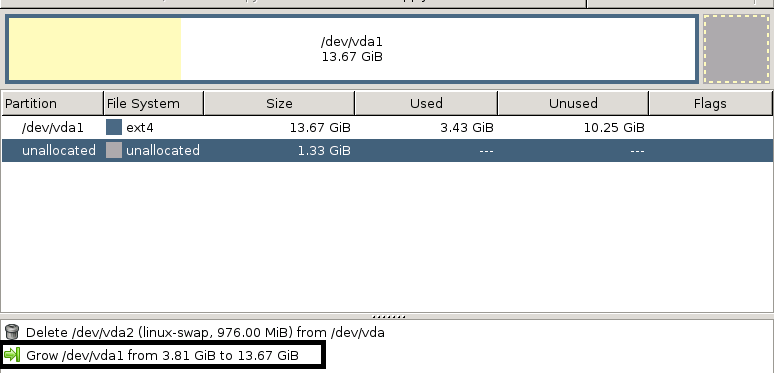
If the resized disk is partitioned block device /dev/vda and we want to resize the last partition /dev/vda3 with ext4 on it
[root@demmy ~]# fdisk -l

Disk /dev/vda: 21.5 GB, 21474836480 bytes, 41943040 sectors
Units = sectors of 1 * 512 = 512 bytes
Sector size (logical/physical): 512 bytes / 512 bytes
I/O size (minimum/optimal): 512 bytes / 512 bytes
Disk label type: dos
Disk identifier: 0x000f3770

   Device Boot      Start         End      Blocks   Id  System
/dev/vda1   *        2048    39843455    19920704   83  Linux
/dev/vda2        39843456    41940607     1048576   82  Linux swap / Solaris
[root@demmy ~]# resize2fs /dev/vda
vda   vda1  vda2
[root@demmy ~]# resize2fs /dev/vda1
On Guest – When Resizing LVM Physical Volume
If the resized disk has a single partition used as an LVM physical volume.
First we use the parted command from the above ‘When Resizing Partitioned Disk’ steps to resize /dev/vda1, then
# pvresize /dev/vda1
  Physical volume "/dev/vda1" changed
  1 physical volume(s) resized / 0 physical volume(s) not resized
# vgs
# lvresize -L 256g /dev/VG/DATA
  Size of logical volume VG/DATA changed from 238.00 GiB (60927 extents) to 256.00 GiB (65536 extents).
  Logical volume DATA successfully resized
# resize2fs /dev/VG/DATA